Start with your own sample
Record a clean voice sample in the browser or upload one, then train a model for your own voice.
 Cyber Search MatchFace indexing and visual search.
Choose a trained voice and a song, then listen to the converted mix, vocal and instrumental separately.
Try AI Song CoversAvailable in your workspace · Free account required
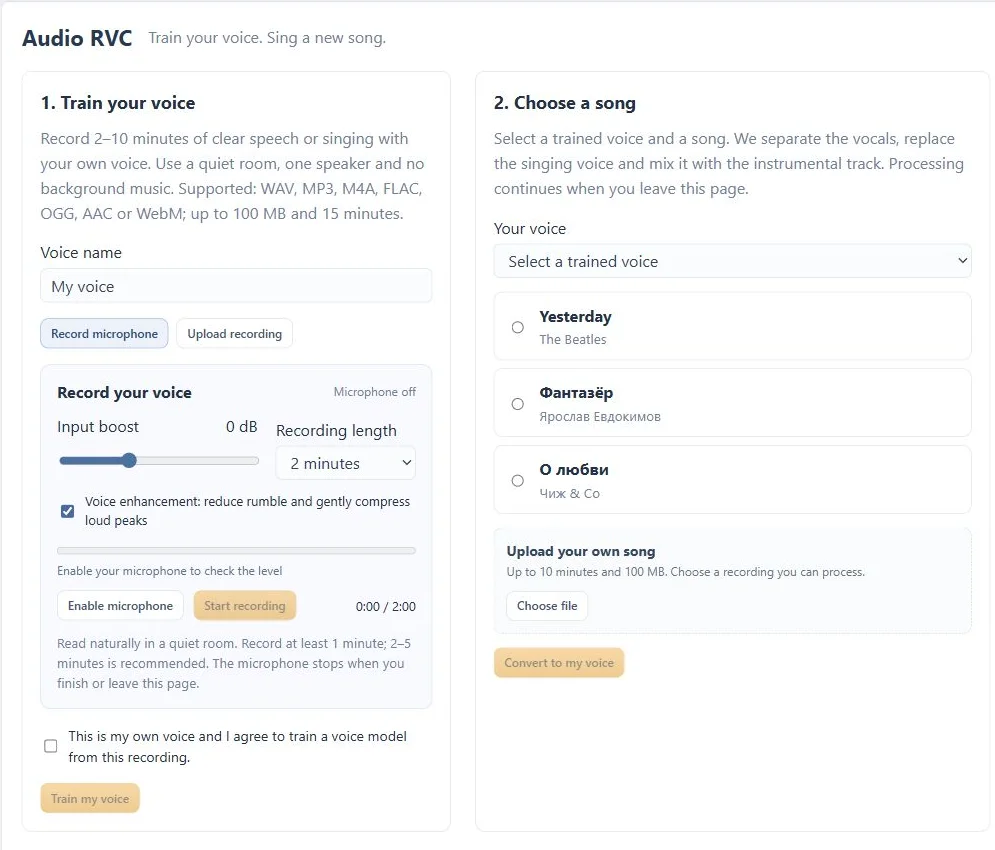
A focused tool, connected to the rest of your media workflow.
Record a clean voice sample in the browser or upload one, then train a model for your own voice.
Listen to the separated vocal and instrumental alongside the completed converted mix.
Choose an available track or upload a song you are allowed to process. Training and conversion run in the background.
Know what you are getting before you start.
No. Processing a song does not grant permission to publish or distribute its composition, recording or derivative result.
Yes. Separate players are available for the vocal and instrumental alongside the final mix.
Record a sample of your own voice, create a voice model and use it for song conversion or a playful push-to-talk exchange.
Explore voice changer →02 / CreateConvert video and audio, trim a range, extract sound and combine processing steps in a guided workspace.
Explore media converter →03 / CreateChange format, resolution and frame rate with compatible codecs and a clear review step before processing.
Explore video converter →No card required. Start with a Free account.