Compare a reference voice
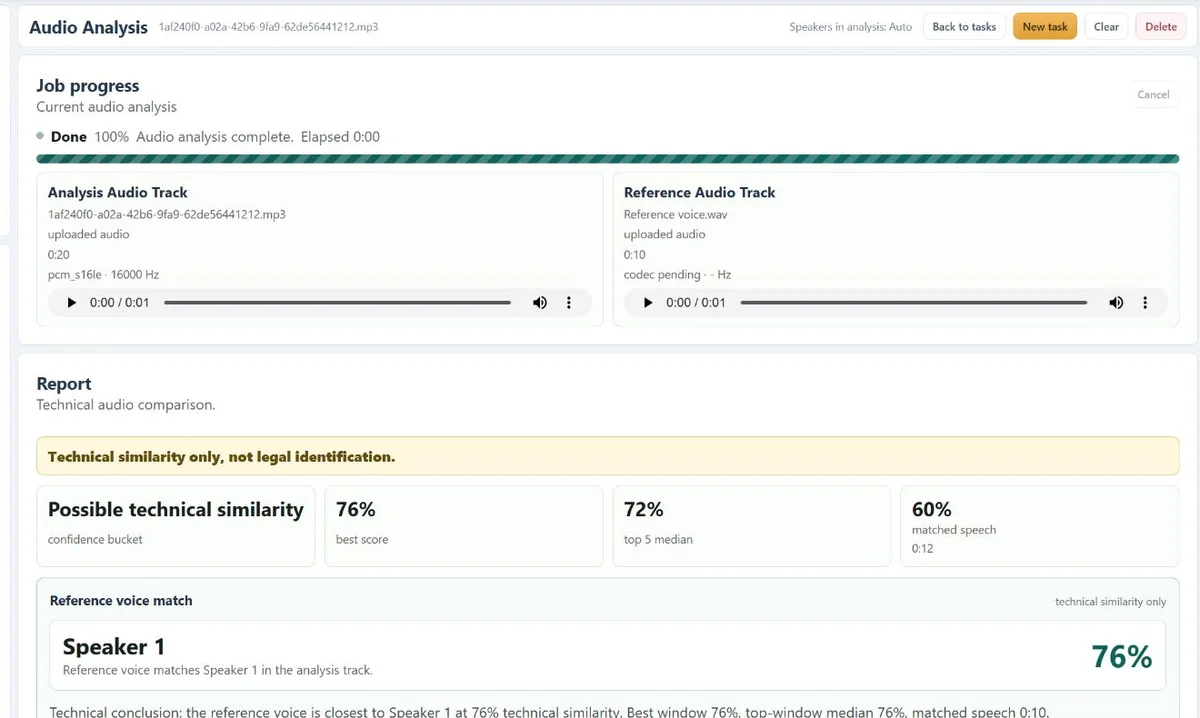
Look for technically similar speech segments in an analysis recording using a clean reference sample.
 Cyber Search MatchFace indexing and visual search.
Bring an analysis recording and a reference voice together in a report with speech, speaker segments and technical similarity.
Try Audio AnalysisAvailable in your workspace · Free account required
A focused tool, connected to the rest of your media workflow.
Look for technically similar speech segments in an analysis recording using a clean reference sample.
Review the transcript and speaker segments, with timestamps that connect the text to the recording.
Use the report’s quality indicators, charts and comparison timeline to understand where a result is useful and where it is uncertain.
Know what you are getting before you start.
No. This is a technical comparison report, not a forensic identity determination or a legal conclusion.
Supported video files can be supplied as audio sources. The audio workflow analyzes the sound rather than the images.
No. Language, overlapping speakers, noise and recording quality affect transcription. Review important passages against the audio.
No card required. Start with a Free account.