Choose the result
Select a compatible container and codec, resolution, frame rate, quality and audio settings.
 Cyber Search MatchFace indexing and visual search.
Convert video and audio, trim a range, extract sound and combine processing steps in a guided workspace.
Try Media ConverterAvailable in your workspace · Free account required
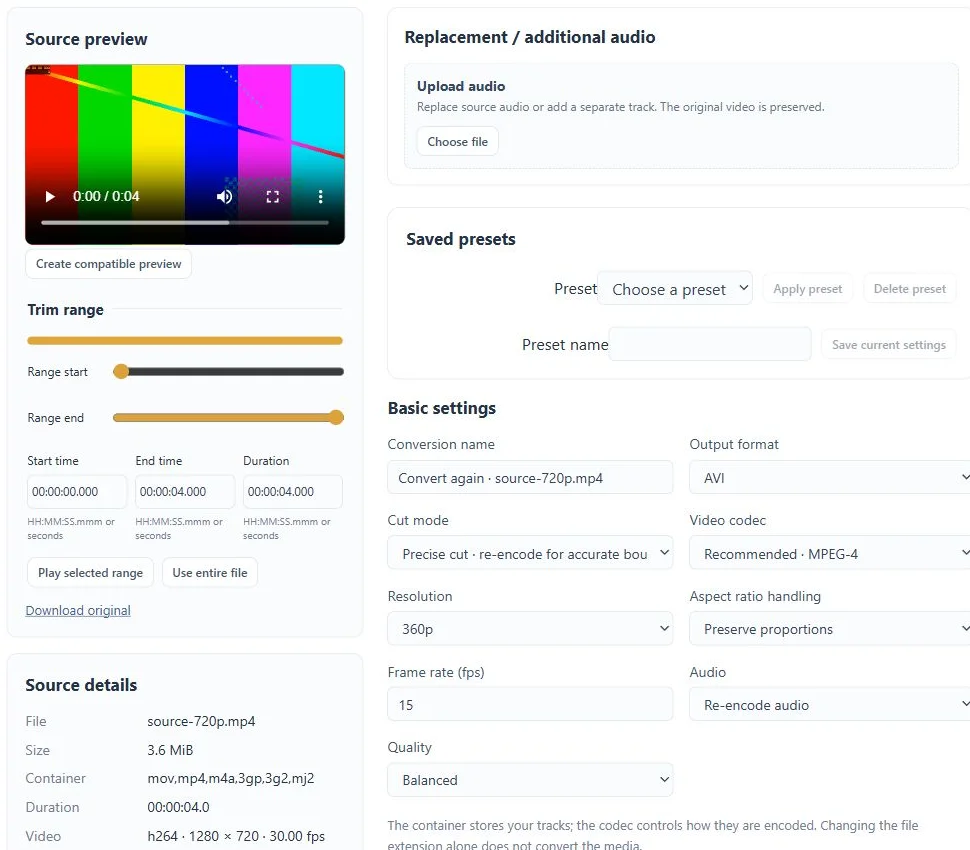
A focused tool, connected to the rest of your media workflow.
Select a compatible container and codec, resolution, frame rate, quality and audio settings.
Combine trimming, filters, audio adjustments and subtitle handling. Reuse a source without uploading it again.
See the processing timeline and download the requested output when validation is complete. Batch operations and saved presets help with repeat work.
Know what you are getting before you start.
Media Converter accepts local files uploaded by you. Network sources and arbitrary processing commands are not part of this tool.
The current converter supports sources up to 2 GiB and two hours. Resource and account limits also apply.
Converter uploads and results currently have a 72-hour retention period. The task shows when a result is available until.
Record a sample of your own voice, create a voice model and use it for song conversion or a playful push-to-talk exchange.
Explore voice changer →02 / CreateChoose a trained voice and a song, then listen to the converted mix, vocal and instrumental separately.
Explore ai song covers →03 / CreateChange format, resolution and frame rate with compatible codecs and a clear review step before processing.
Explore video converter →No card required. Start with a Free account.