
Why a Video Will Not Play in Your Browser
Separate unsupported codecs from a failed conversion, create a viewing preview and verify the actual requested file.
Updated · Cyber Search MatchA browser playback failure does not by itself mean conversion failed. Check the completed task, source/result properties and the actual download; use a separate compatible preview when needed.
Check whether the file is ready.
Wait for Completed and final validation. Upload completion and the end of the encoding pass are earlier stages. If the task says Failed, read its diagnostic message before investigating browser support.
Check the reported file size and duration. Download the requested result and open it in a suitable local player. A file that plays there but fails in the browser may use an unsupported container, codec or profile.
Use a viewing copy for inspection.
Source preview can create a compatible copy when the browser cannot play the original. The result page also offers a lightweight result preview where needed. Each is a separate file for viewing; the main Download action still serves the format you requested.
Processed preview has another purpose: it renders the first ten seconds of your selected range, at up to 360p, with the reviewed effects. It cannot establish the quality, sync or completeness of the entire final download.
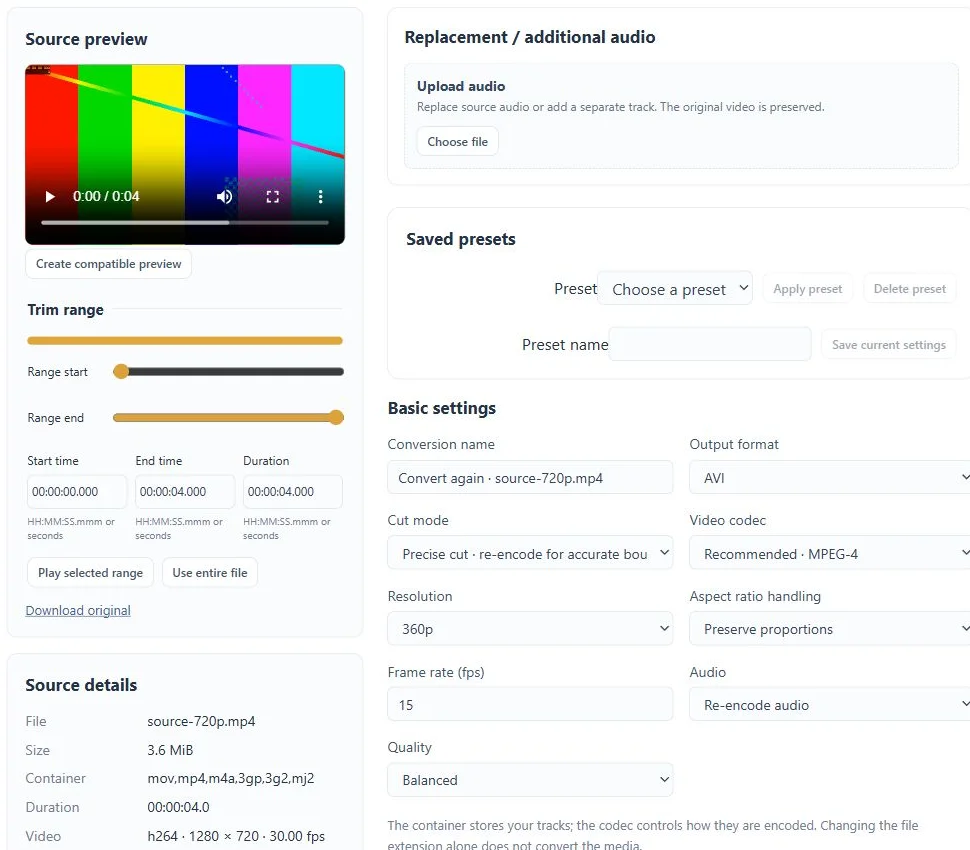
Choose a delivery profile for the actual recipient.
For a broadly useful starting point, test MP4 with H.264 video and AAC audio. Keep source dimensions or choose a smaller resolution and avoid unnecessary tracks for a simple viewing copy. Browser, device and operating-system support can still vary.
If you need the original professional format, keep that requested output and use the preview for web inspection. Do not replace a required archival file with a small viewing preview just because the latter plays more easily.
Check a clean playback path.
Try a fresh download, another supported player and a short representative conversion. Check that the transfer finished and that you opened the requested file. If playback stutters only on one device, also consider its decoding load.
Contact support if a completed output is empty, truncated or unreadable across suitable players. Include the task reference, selected profile, visible error and where playback stops; account credentials are not needed.
Before you finish
- The task is Completed, not still Finalizing.
- The requested download is distinct from a viewing preview.
- The final file was tested on its intended playback device.
Questions about this workflow
Does a compatible preview change my ordered output?
No. The preview is a separate viewing file. Download the main result for the requested format.