
Convert Archive Video for Viewing While Keeping the Original
Inspect old footage, choose a compatible viewing copy, handle interlacing and tracks, and verify sync and duration.
Updated · Cyber Search MatchRetain the original archive file. Inspect its geometry, tracks and timing, create a conservative viewing copy, then check the beginning, middle and end before treating the conversion as complete.
Step 1 — inspect and keep the original.
Keep an untouched copy outside the converter’s temporary storage. Current converter files have a 72-hour retention period; this service is a processing workspace rather than permanent archive storage.
Upload a source within the current size and duration limits and inspect container, codecs, orientation, dimensions, frame rate and audio/subtitle streams. A damaged source may fail inspection. Changing its extension or selecting another format does not repair missing media data.
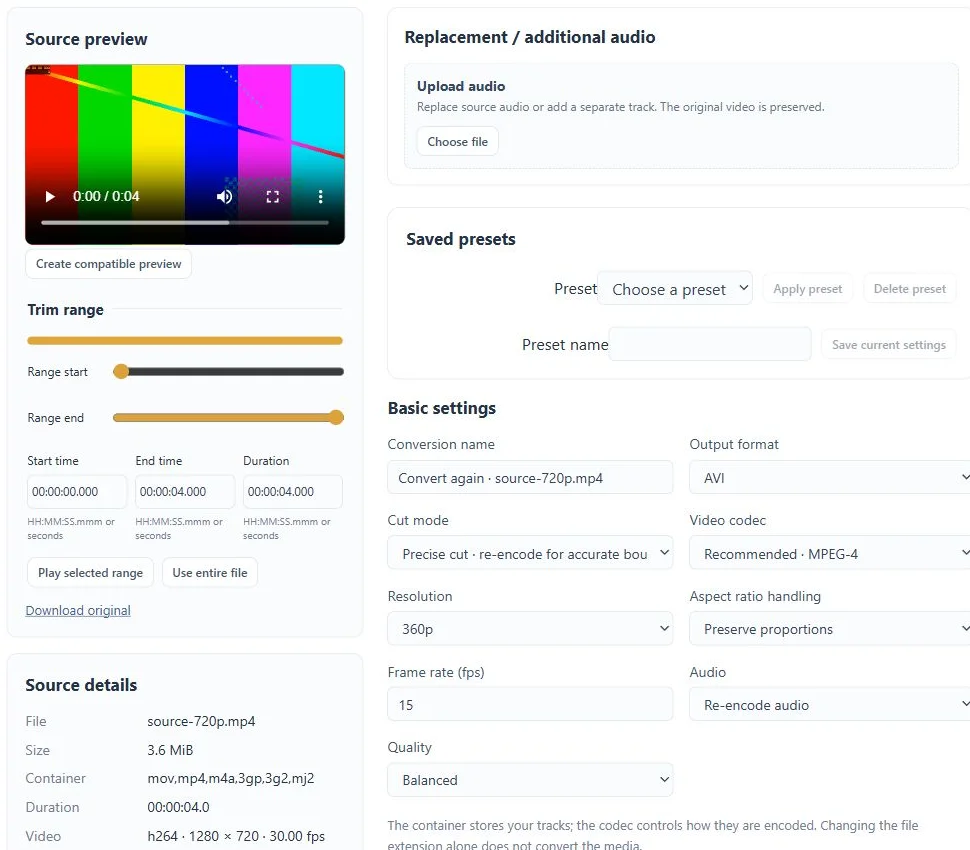
Step 2 — choose a conservative viewing copy.
Start with a profile such as MP4 / H.264 / AAC and test it on the intended device. Keep aspect ratio, original dimensions and frame rate initially. Enlargement cannot recover detail that the archive never contained.
Use Precise cut when applying effects or changing codecs. Fast cut is useful only for compatible stream copying and acceptable boundary behaviour. A new viewing copy is not a lossless preservation master merely because it has the same dimensions.
Step 3 — handle visible source problems deliberately.
If the source is interlaced and moving edges show combing, test Deinterlace Video on a representative passage. Do not enable it automatically for every old recording. Inspect the result for motion and fine-detail changes.
Check rotation metadata before adding a manual turn. Retain the audio language, subtitles and chapters you need where the destination supports them. Strong sharpening or denoising can create artifacts; compare against the original rather than stacking filters by default.
Step 4 — verify the whole output and retain useful copies.
Compare duration, orientation, audio tracks and subtitle behaviour, then play the beginning, middle and ending. Check audio/video sync at several visible sound events. A short preview cannot establish whole-file sync or completeness.
If the requested format does not play in the browser, create a separate lightweight preview or use an appropriate local player. Download the requested viewing copy before expiry and retain the original independently. Batch conversion can repeat reviewed settings, but each source still needs its own output check.
Before you finish
- The untouched original is stored independently.
- Geometry, duration, selected tracks and sync were checked.
- The requested result was downloaded before its retention deadline.
Questions about this workflow
Will conversion recover missing or damaged archive frames?
No such recovery is promised. Keep the original; unsupported or damaged media may need separate restoration tools.