
Research Photo Sources: From a Face to a Publishing Page
Prepare a query, inspect matches and variants, and build a source trail without assuming the first match is the original publication.
Updated · Cyber Search MatchUse one clear face to find leads in the public index, then inspect the full images, Domain and Variants and the actual publishing pages. Record the source trail and unresolved gaps rather than treating ranking as provenance.
Step 1 — choose a suitable query photo.
Start with a clear image containing one human face. Keep the original version and note why you are researching it: finding a known publication, checking reuse of your photograph or understanding a source citation.
A face search finds indexed facial similarity, not every duplicate of an entire image on the web. Another genuine photo may help if the first is tiny, strongly angled or obstructed. Failed detection and an empty search are different problems.
Step 2 — separate a lead from a conclusion.
Review Matches and Similar faces separately. Inspect the vector score and displayed Similarity without treating either as an identity probability. Visually similar people can appear in the lower-scoring gallery.
Open a card to compare the full image and context. A known face in a different photograph may be useful for a face-search task, but it does not establish who first published the image you started with.
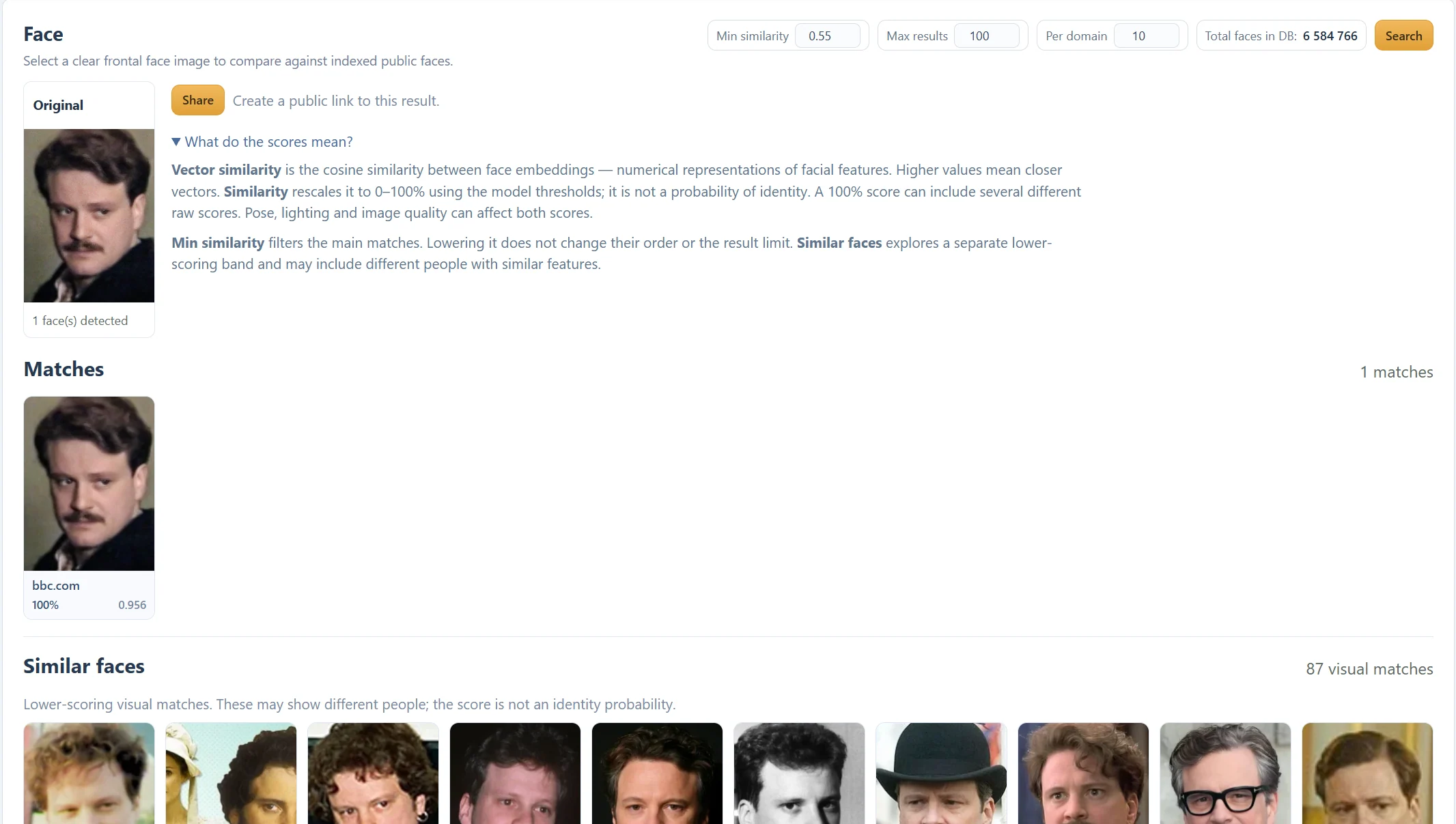
Step 3 — follow Domain and Variants to the page.
Compare the recorded variants and open the domain-named publication link. Check the photograph, caption, visible date, credited photographer and any outbound attribution. Different pages can reuse the same image and describe it differently.
Make a simple research note containing the page URL, image URL if available, date checked, visible publication date and what the page actually establishes. Dates can be missing or changed, so distinguish a visible date from a verified first publication.
| Record | Why it helps |
|---|---|
| Publication URL and date checked | Makes the lead revisitable |
| Caption and credit | Preserves the publisher’s stated context |
| Other recorded variants | Reveals reuse across pages |
| Unresolved questions | Prevents an unsupported provenance claim |
Step 4 — keep or share only the useful context.
If you choose Share, review what the public snapshot includes: the query face and saved results. Anyone with the resulting link can view them. Keep the active share controls available if you plan to stop sharing later.
An absent result only describes this index and query. It does not prove that the photo has no other online copies. A shared search also cannot delete an image from a third-party publisher.
Before you finish
- The full image and publication context were inspected.
- Source URLs and dates checked were recorded.
- A ranked match was not labelled the original source without further evidence.
Questions about this workflow
Does the first result identify the earliest publication?
No. Ranking describes similarity in the index. Establishing first publication needs separate source and date research.