
Choose the Best Photo for Face Search
Prepare a clear, single-face image for CS Match. Learn how framing, pose, lighting and cropping affect detection and search results.
Updated · Cyber Search MatchUse a sharp, well-lit photograph with exactly one human face. Keep the whole face visible with a little space around it. A natural photo with usable detail is more useful than a tiny face crop enlarged to look bigger.
A practical photo checklist
Choose a photo where the eyes, nose and mouth are visible and the face occupies a useful part of the image. A broadly frontal view is a good starting point. Avoid motion blur, strong backlight and objects covering important facial features.
The current upload flow expects exactly one detected human face. If your photo contains several people, crop around the intended person before uploading. Leave the head and some surrounding context rather than cutting tightly through the forehead or chin.
- Prefer an original image over a screenshot of a tiny thumbnail.
- Use even light and a reasonably neutral, visible face.
- Exclude other faces, including faces on posters in the background.
- Keep enough space around the face for the detector to work.
- Avoid beauty filters, heavy retouching and artificial facial detail.
Prepare the file without inventing detail
Rotate the photo so it displays upright. Crop away unrelated background if the face is very small, but keep the original resolution where possible. Increasing pixel dimensions does not recover detail that the camera never captured.
If the face is blurred, heavily compressed or obscured, a different photograph usually helps more than repeated sharpening. Upload through the Face workspace and check whether the Original card reports one face detected before interpreting the search.
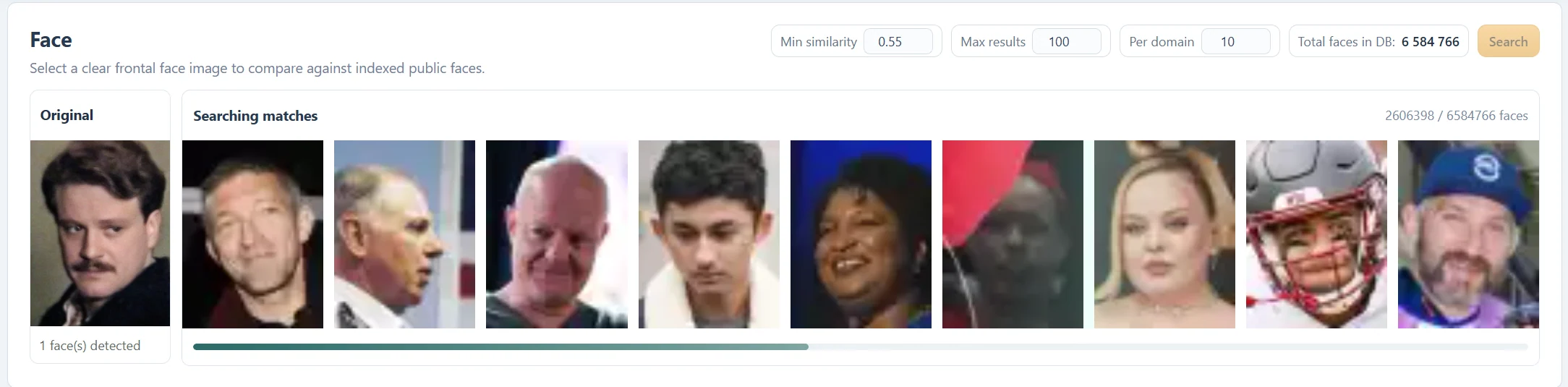
Try a second real photo when needed
Different images of the same person can produce different candidate rankings. If a frontal photo finds little, try another clear photograph with a different expression or lighting. Compare the source context across the two searches rather than treating one score as a final answer.
A successful detection only means the system found a face to compare. It does not guarantee that relevant photographs are in the current index. Conversely, no results cannot establish that a photo is absent from the web.
Know which problem to solve next
If you see No face detected, improve the input and follow the detection troubleshooting guide. If one face is detected but no useful matches appear, follow the no-results guide instead. Changing Min similarity cannot fix a detector that has not found a face.
Questions about this workflow
Should I upload only a very tight face crop?
Avoid cutting off the edges of the head. A clear single-person crop with some surrounding space is a better starting point.
Does a larger file guarantee better results?
No. Visible facial detail matters more than file size alone. An enlarged blurry thumbnail still lacks detail.
Continue with the next useful step
Fix “No Face Detected”
Troubleshoot face detection in CS Match: check framing, rotation, lighting and multiple faces before changing search settings.
Why Face Search Finds No Results
Understand empty face-search results in CS Match. Check detection, photo quality, thresholds, result limits and public-index coverage.
Face Similarity Scores Explained
Understand Similarity, Vector similarity and Min similarity in CS Match. Learn why 100% is not proof of identity and why a lower threshold may not add results.