
Why Face Search Finds No Results
Understand empty face-search results in CS Match. Check detection, photo quality, thresholds, result limits and public-index coverage.
Updated · Cyber Search MatchAn empty gallery means no candidates were returned under the current search conditions. It does not prove that your photos are absent from the internet. Check detection, photo quality and filters, then consider the limits of the public index.
First, identify the stage that failed
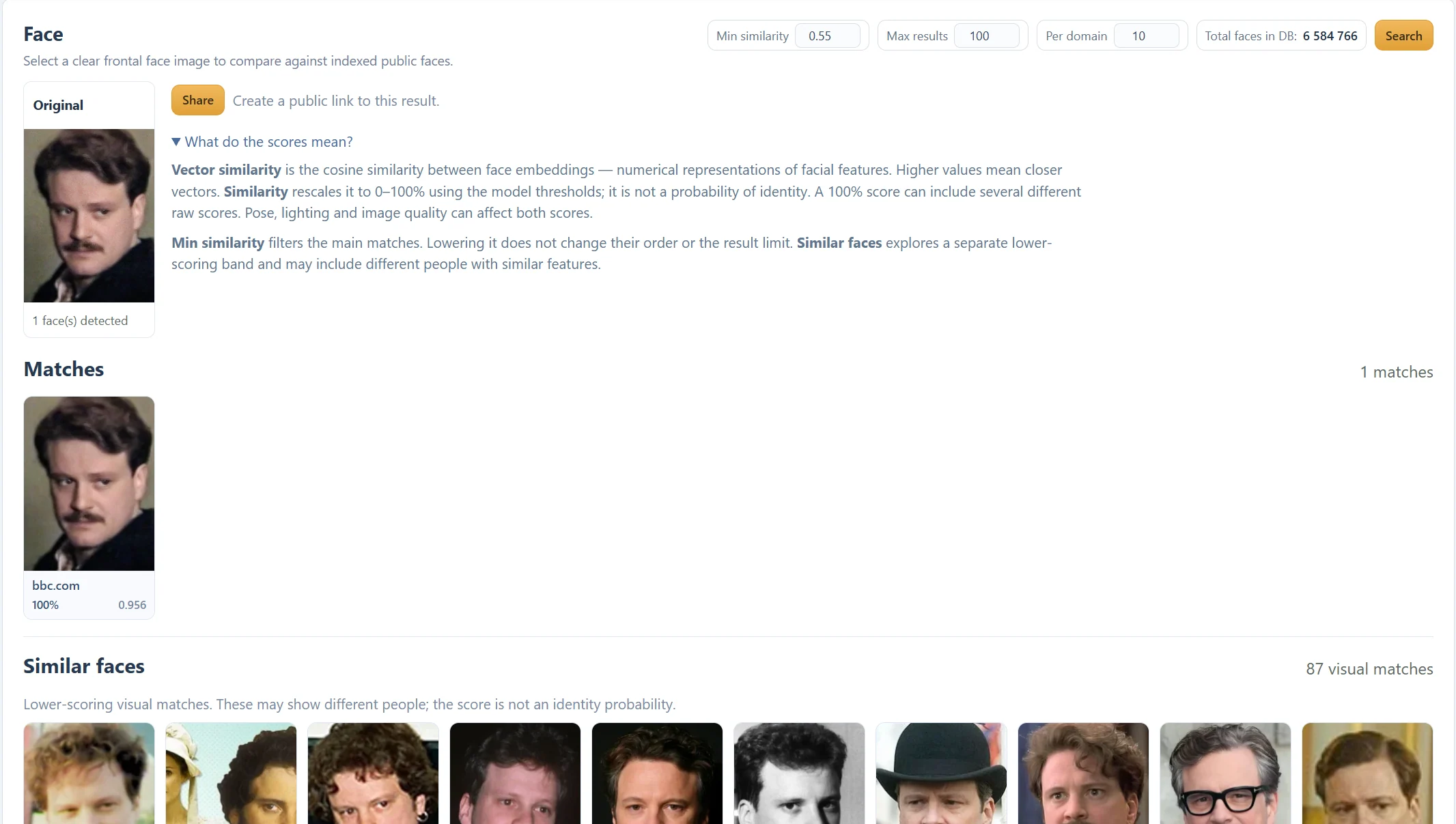
No face detected is an input problem. No matches above similarity filter means a face was found but no main candidates met the active conditions. A network or service error means the request did not complete successfully; it is not evidence of an empty index.
Wait for the search to finish before interpreting the gallery. The animated strip during processing is not a list of final matches, so a familiar-looking face there is not a returned source.
Choose the next action for your situation
| Situation | Useful next action |
|---|---|
| No usable face was detected | Use the single-face photo and detection guides. |
| Main Matches is empty, Similar faces has cards | Inspect those as lower-scoring visual leads; do not treat them as confirmed matches. |
| A clear face was detected, but both galleries are empty | Try a second clear photo and consider index coverage. |
| A few results appear repeatedly | Inspect Per domain, Max results and grouped Variants before lowering the threshold. |
| The request failed or never completed | Check the displayed error and retry; contact support if it persists. |
Adjust filters deliberately
Lowering Min similarity can allow weaker candidates into the main gallery. Those candidates may be different people. It does not change the evidence in the source image, remove result limits or search every page on the internet.
Max results is a ceiling, not a promise that the gallery will fill. Per domain controls how many main cards a publishing domain contributes. The Similar faces gallery uses its own lower-scoring band and diversity rules; it may remain smaller than its maximum or be empty.
Understand what the index can contain
Search runs against indexed public face images. A relevant page may not have been discovered or processed, may no longer be available, or may be inaccessible to indexing. Login-only and private content should not be assumed to be covered.
The database total measures indexed faces, not all photographs online or a guaranteed count of distinct people. Trying another clear photo can help retrieval, but no setting can return a source that is not present in the searchable index.
Keep a useful result in perspective
When a candidate appears, inspect its source page and context. A weak resemblance is not evidence of an identity or relationship. If you want to discuss a result, use Share intentionally: anyone with the resulting public link can view the saved result. Stop sharing disables that link, not copies someone already kept.
Questions about this workflow
Does no result mean nobody has posted my photo?
No. Index coverage, photo quality, retrieval and filters all affect the result.
Will Similar faces always contain 100 cards?
No. It returns up to 100 selected candidates when enough are available.
Continue with the next useful step
Choose the Best Photo for Face Search
Prepare a clear, single-face image for CS Match. Learn how framing, pose, lighting and cropping affect detection and search results.
Fix “No Face Detected”
Troubleshoot face detection in CS Match: check framing, rotation, lighting and multiple faces before changing search settings.
Face Similarity Scores Explained
Understand Similarity, Vector similarity and Min similarity in CS Match. Learn why 100% is not proof of identity and why a lower threshold may not add results.
Find the Source Page of a Face Photo
Follow a face-search match to its publishing page. Compare original images and variants, and understand why a found source is not necessarily the first publication.