
Face Similarity Scores Explained
Understand Similarity, Vector similarity and Min similarity in CS Match. Learn why 100% is not proof of identity and why a lower threshold may not add results.
Updated · Cyber Search MatchVector similarity compares numerical face representations. Similarity rescales that value for display. Min similarity filters the main gallery; none of these numbers is a probability that two photographs show the same person.
Two scores, two ways to read the comparison
The search represents facial features as an embedding: a numerical vector. Vector similarity is the cosine similarity between the uploaded face and an indexed face. Higher values mean closer representations. The mathematical cosine range is −1 to 1; the useful range depends on the model and the images.
Similarity maps the raw value between configured lower and upper thresholds onto a scale from 0% to 100%, clipping values outside that interval. It makes the display easier to scan, but the mapping is not a calibrated identity probability. Compare scores within this search rather than with percentages from a different service.
| Label | What it means | How to use it |
|---|---|---|
| Vector similarity | Raw cosine comparison of face embeddings | Compare closeness without the display scale hiding differences. |
| Similarity | Rescaled and clipped percentage | Scan the main gallery, then inspect the image and source. |
| Min similarity | Minimum rescaled score for main matches | Filter which main candidates can appear. |
Why several results can all show 100%
Every raw score at or above the configured upper threshold reaches the same displayed maximum. In the example below, cards with different vector values still show 100%. That is a ceiling in the display, not a claim of certainty.
For a purely illustrative configuration with a lower threshold of 0.45 and an upper threshold of 0.72, a raw score of 0.60 maps to roughly 56%. Values of 0.83 and 0.95 both map to 100%. Your active configuration may differ; these example values are not universal identity cutoffs.
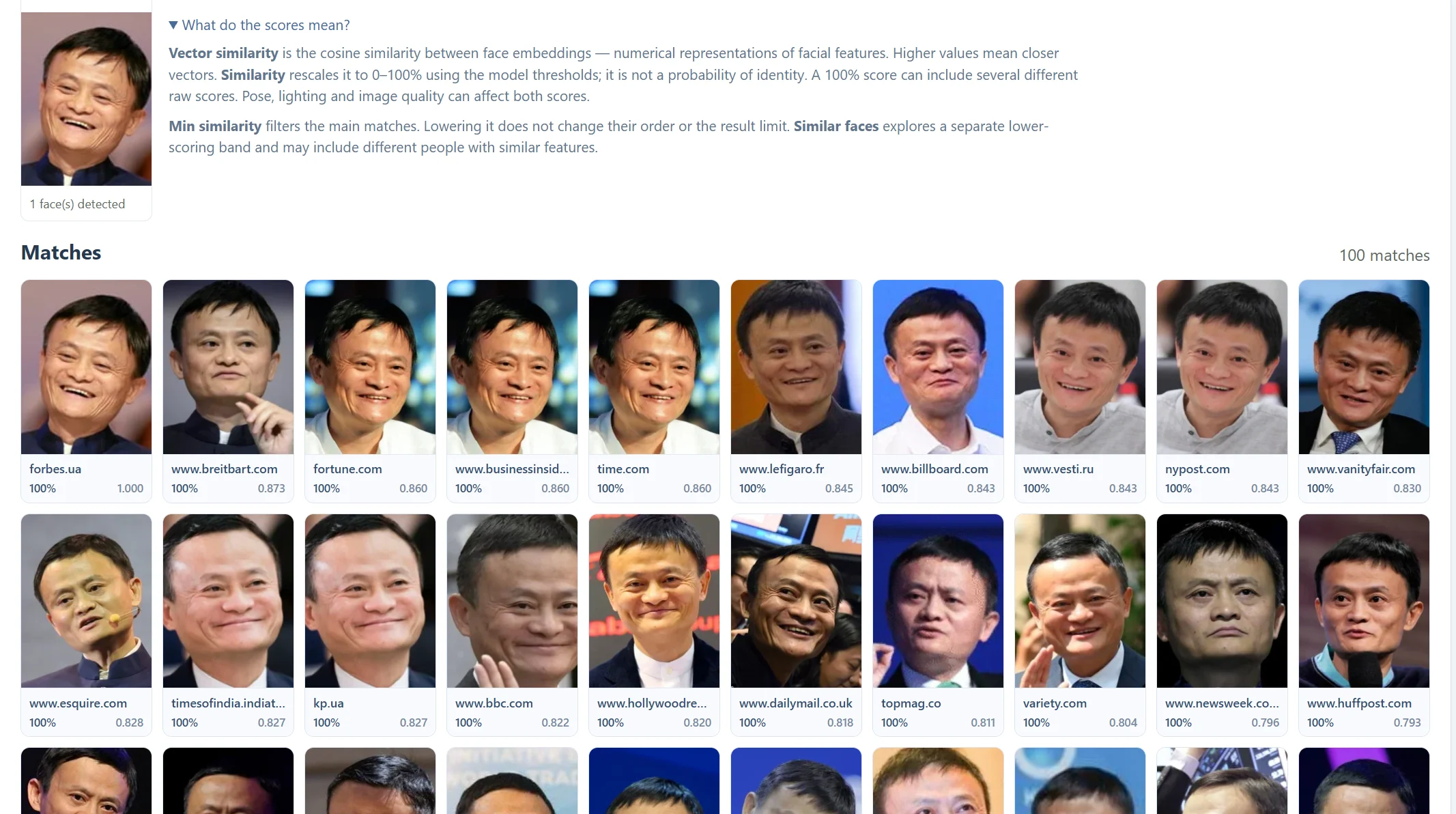
What lowering Min similarity can change
Min similarity applies to the rescaled main-match score. A setting of 0.55 means a minimum displayed similarity of 55%; it does not mean raw cosine 0.55. Lowering the filter can admit additional candidates, but it does not make a weak photo clearer or add missing images to the index.
Max results, Per domain, candidate retrieval and the indexed content also limit the gallery. If the current results already fill a limit, a lower threshold can leave the visible cards almost unchanged. Similar faces is a separate lower-scoring exploration band with its own selection and diversity rules, rather than an unlimited continuation of the main list.
Read the numbers alongside the evidence
Pose, lighting, occlusion, age differences and image quality can change the comparison. Start with a clear photo, open a promising card, inspect its Domain and Variants views, and visit the source page before drawing a conclusion. A score cannot establish a name, relationship or context on its own.
- Compare the original image and the result at a useful size.
- Look at the raw vector score when percentages tie.
- Check another clear photo if a result seems inconsistent.
- Treat Similar faces as visual leads that may show unrelated people.
Questions about this workflow
Is 100% a confirmed match?
No. The percentage is capped at the upper display threshold. Different vector values can all show 100%.
Can I compare the score with another face-search engine?
Not directly. Models, retrieval methods and display mappings differ.
Continue with the next useful step
Choose the Best Photo for Face Search
Prepare a clear, single-face image for CS Match. Learn how framing, pose, lighting and cropping affect detection and search results.
Why Face Search Finds No Results
Understand empty face-search results in CS Match. Check detection, photo quality, thresholds, result limits and public-index coverage.
Face Search: Domains and Variants
Learn what Domain and Variants mean in CS Match results. Compare publishing sites, grouped source records and original images without confusing them with distinct people.