
Make a Cover with Your Own Voice: Record, Train and Review
Prepare a clear own-voice sample, wait for a ready model, convert permitted song audio and identify each output correctly.
Updated · Cyber Search MatchRecord a clear sample of your own voice, train a model, select a song you can process and review the finished mix. The current separate vocal player contains the original separated vocal, not a solo converted vocal.
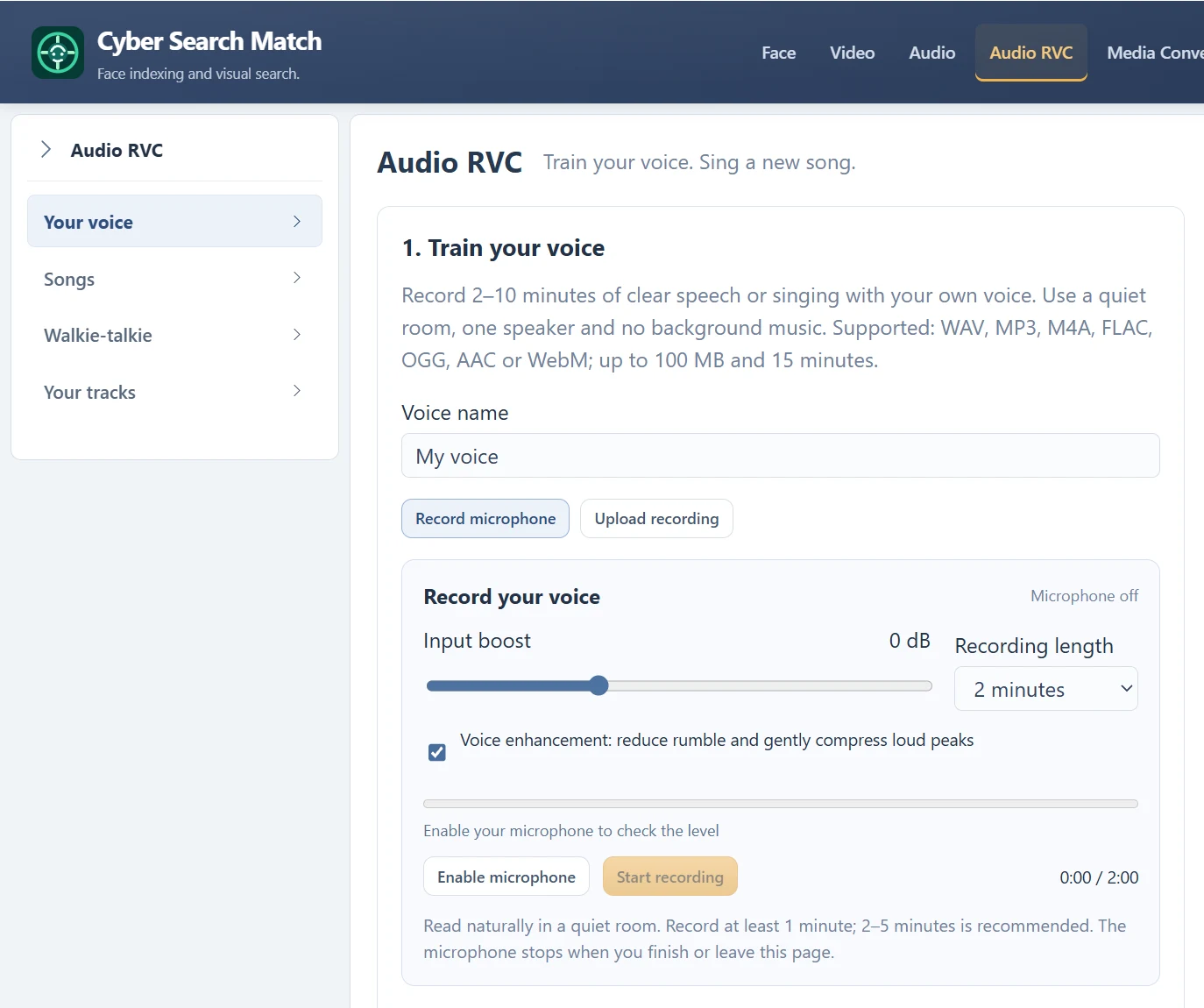
Step 1 — record a usable own-voice sample.
Use a quiet room, one speaker and no background music. Record with natural speech or singing and monitor the input level. The current recorder offers 1, 2 or 5 minutes; at least one minute is needed, and a clear 2–5-minute sample is a useful preparation target.
Adjust Input boost conservatively and listen for clipping before training. You can instead upload a supported sample within the current duration and size limits. Confirm that the voice is your own and that you consent to creating the model.
Step 2 — wait for the model to become ready.
Name the voice, review the recording and submit training. Keep the page open during recording and upload; submitted training continues in the background. Your tracks & training shows the task, while Your voices shows whether the model is ready.
CPU training can take tens of minutes. Do not submit duplicates because a percentage pauses. Read any failure message and improve a problematic source before trying again. Choose the voice only after its model is ready.
Step 3 — choose permitted song audio and submit.
Select the ready model and an available track, or upload song audio you have permission to process. The source performance supplies the words, melody and timing; this operation does not generate new lyrics from a written prompt.
Processing a recording does not grant permission to distribute its composition, recording or resulting cover. Review your rights before publishing. This walkthrough does not claim that a converted voice is indistinguishable from a real performance.
Step 4 — identify the files and listen to a full passage.
Final mix combines converted singing and instrumental using the current fixed chain. The separate Vocal and Instrumental players expose the original separated source stems. A solo converted vocal download and independent remix gain sliders are not exposed in the current cover form.
Listen to the same passage in the mix and source stems for leakage, distortion and lost words. Player volume changes listening only, not the saved mix. Download the useful files; for a format change or overall gain, use Media Converter as a separate step.
Before you finish
- The model was trained from your own clear voice.
- The model is ready and the song can be processed with permission.
- The final mix and original source stems were distinguished correctly.
Questions about this workflow
Can I remix the cover by changing the two stem-player volumes?
No. Those controls affect playback. The current job writes one final mix and does not expose an independent converted-vocal stem.