
How to Record a Useful Voice Model Sample
Prepare a clean own-voice recording: duration, room, microphone distance, speech and singing before training.
Updated · Cyber Search MatchUse one clear voice with no background music. Training accepts 1–15 minutes; the setup recommends 2–10 minutes, and the built-in recorder offers 1, 2 or 5 minutes.
Choose material that sounds like you.
Read varied sentences naturally or record clear singing with your own voice. Include comfortable changes in pitch and emphasis, short pauses and the types of sounds you intend to convert. Repeating one phrase or forcing an unfamiliar voice gives the model less useful material.
Keep other speakers, backing music and television out of the recording. For a singing model, record the voice clearly rather than a full mixed song. More minutes of noise are not a substitute for a shorter clean sample.
Keep the room and distance consistent.
Choose a quiet room, silence notifications and place the microphone at a stable distance. Make a short listening check before recording the full sample. If you hear strong echo, move away from reflective surfaces or choose a quieter, less reverberant space.
Start input boost at 0 dB. Speak at your normal level, watch the meter and reduce gain if peaks distort. Raising a quiet recording also raises its background noise; improve the microphone position first.
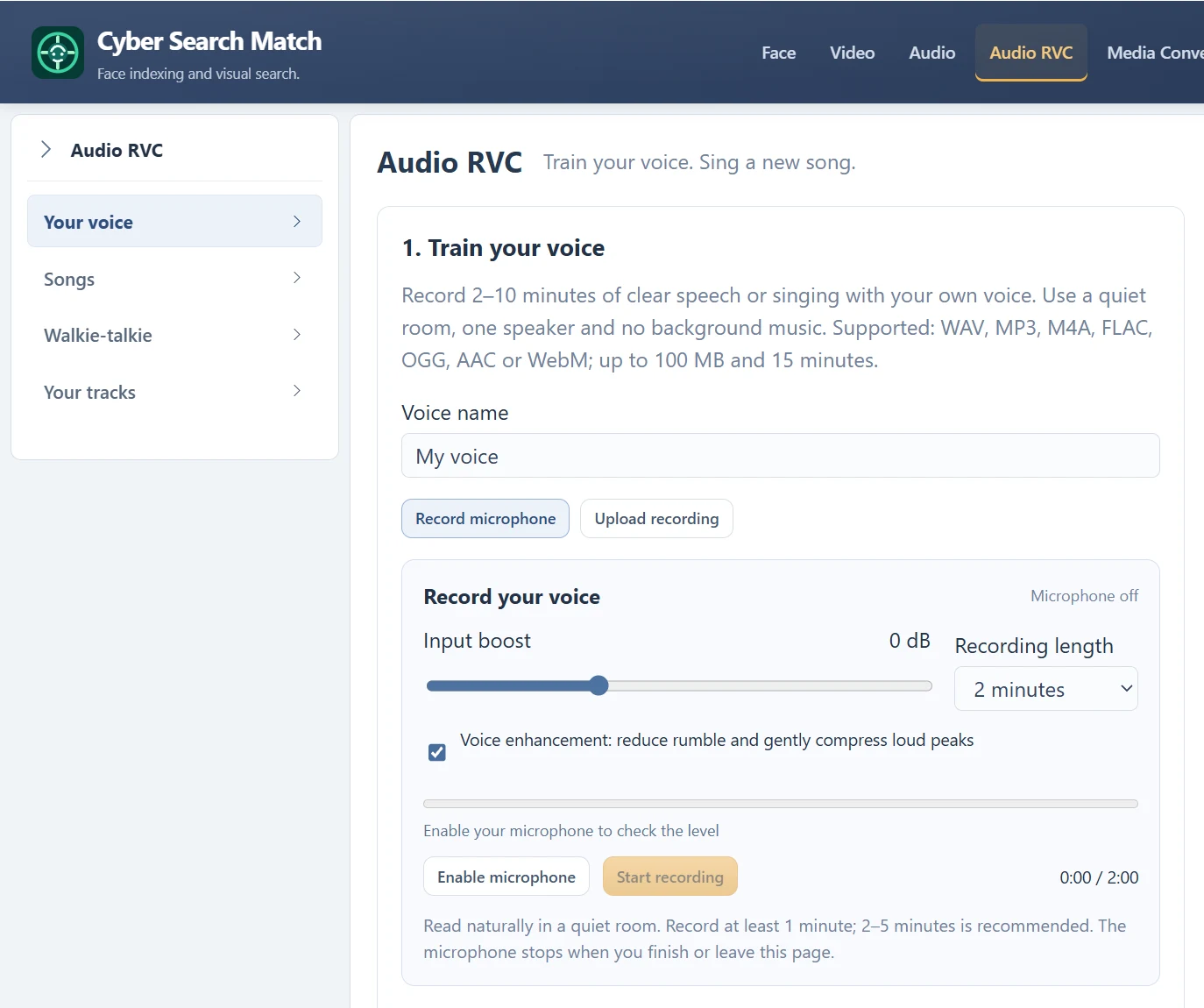
Review the version you will actually submit.
After browser recording, compare Original with Boosted / enhanced at a comfortable playback volume. Choose the version with clearer speech and fewer artifacts, not simply the louder one. Download WAV if you want a local copy before training.
A training sample must be at least 1 minute and no more than 15 minutes. Uploads are limited to 100 MB. Name the model, confirm that it is your own voice and submit once; wait for ready before attempting song or message conversion.
Questions about this workflow
Will a longer sample always sound better?
No. Consistent, clean, relevant material matters. Extra noise, mixed speakers or distortion can make a longer recording less useful.
Continue with the next useful step
Microphone Gain: Boost Your Voice Without Clipping
Use the input meter, −12 to +24 dB boost and original/processed playback to prepare a clean voice recording.
Voice Training Queued: Progress, Waiting and Failures
Understand queued training, background processing, ready models and what to do when a voice task fails.
Voice Tools Permissions: Microphone, Samples and Songs
Understand microphone access, the own-voice training confirmation, song permissions and account-only outputs.