
Compare the voice. Keep the context.
Compare an analysis recording with a reference voice sample. Review matched speech windows, speaker summaries and recording quality before interpreting similarity.
Free account · No card required · Background processing after upload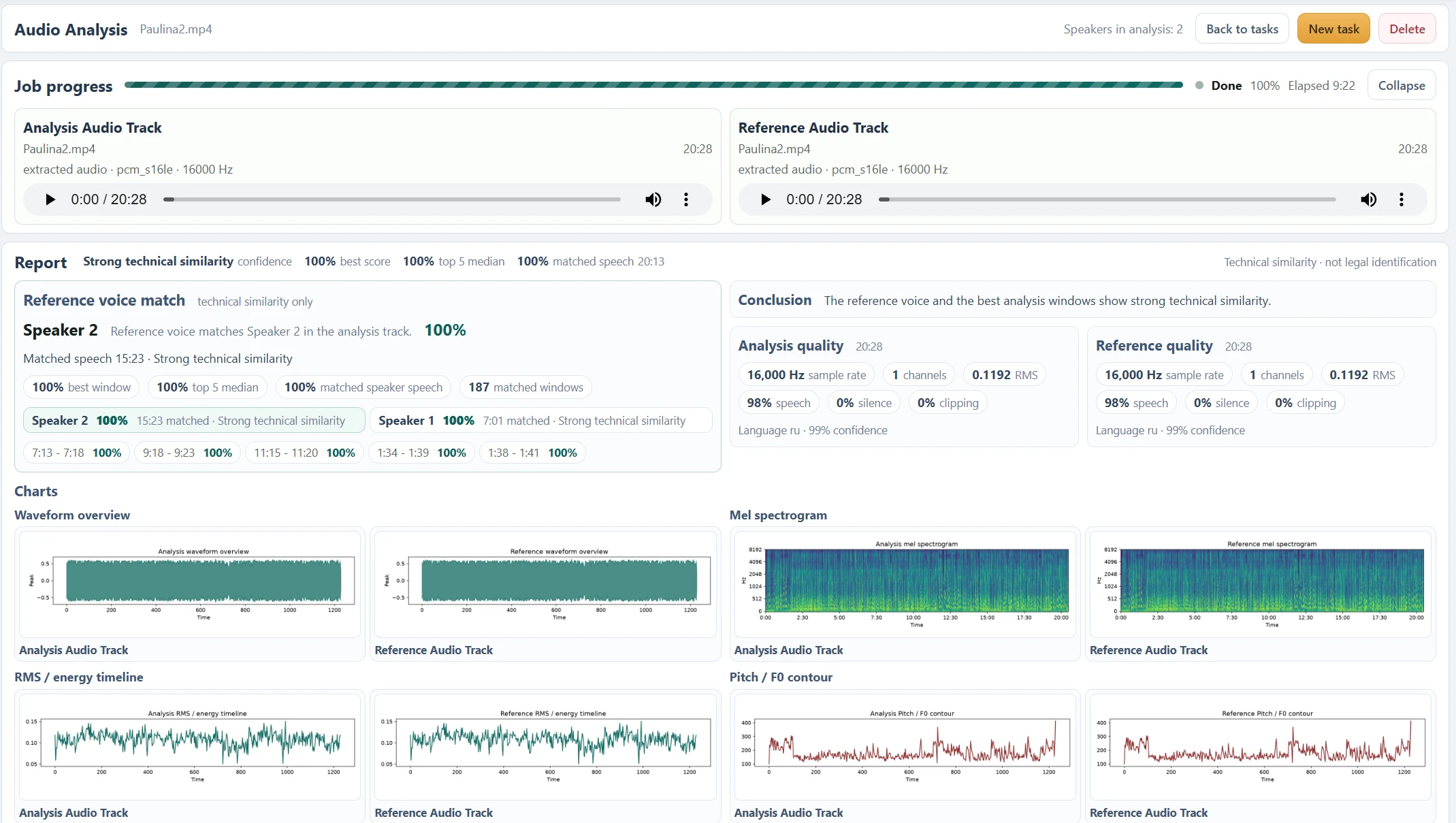
From two sources to a report you can inspect.
- 01
Choose the analysis source
Upload the audio recording, or select a video and confirm audio extraction.
- 02
Add the reference
Supply a voice sample; it is required by the current analysis workflow.
- 03
Set the speaker count
Choose Auto or a known count from 1 to 5, then review both sources.
- 04
Submit and follow progress
Finish uploading and let the background task build the report.
- 05
Read and listen
Compare timestamps, speaker turns, quality indicators and the original sound.
Choose a reference that represents one voice.
Put the longer recording in Analysis Audio Track and a clean sample of the voice you want to compare in Reference Audio Track. The reference must contain at least 3 seconds of detected speech. Avoid mixed speakers, loud music and heavy distortion.
Microphones, distance, noise, compression, illness and deliberate voice changes can affect the comparison. Several clear passages are more useful to review than a single extreme score. Keep the original recording available beside the analysis.
Inspect windows before reading the headline.
The report shows a best score, top 5 median, matched speech and speaker-specific summaries where available. Top matched segments are the strongest short windows. Merged ranges combine nearby matches and can overlap with the underlying windows.
A best score describes one selected window, not every moment in the recording. Matched speech is a duration or coverage measure under the configured matching rule; it is not a probability that the person is the reference speaker.
The displayed 100% is a self-comparison example.
The screenshot compares Paulina2.mp4 with Paulina2.mp4. Both speaker groups receive very high similarity because the reference contains that same recording. It is not evidence that two different voices have been independently verified as one person.
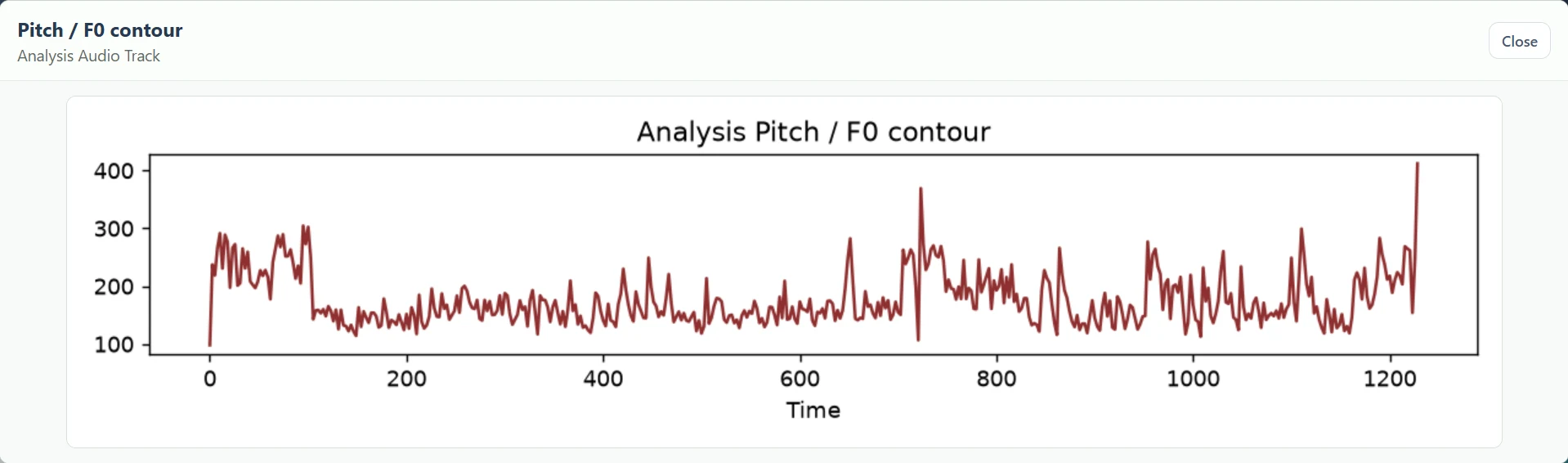
Signal charts can help explain why recordings differ, but matching pitch, waveform shape or spectrogram appearance alone does not confirm identity. Treat the report as a way to locate and inspect technical resemblance.
Questions about this workflow
Do I need a reference file just to transcribe?
Yes, in the current workflow. Select an analysis source and a reference source before starting. There is no separate one-file transcription mode yet. For a meaningful voice comparison, use a clean sample of the voice you want to compare.
Can I close the tab?
Keep the tab open until both uploads and submission finish. Processing then continues in the background; return to your Audio task list for progress and the report.
What are the current input limits?
Each upload is limited to 512 MiB. The analysis recording can be up to 30 minutes, and the reference must contain at least 3 seconds of detected speech. Processing, storage and quality checks also apply.
Can I identify a stranger from a voice?
This tool compares the two recordings you provide. It does not search a public voice identity database or establish who an unknown speaker is.
A different question. The same connected report.
Audio Analysis
Analyze speech in audio or video with transcripts, speaker segments, voice comparison, quality indicators and charts in one inspectable report.
Audio to Text
Convert recorded speech into a timestamped transcript inside Audio Analysis. Review the words alongside speaker turns and source playback.
Video to Text
Transcribe the spoken audio in an uploaded video. Confirm audio extraction, add the required reference and review timestamped speech in the report.
Speaker Diarization
Group speech into numbered speaker turns and timed segments. Inspect the dialogue transcript and check automatic assignments against the recording.
Listen closer. Read with context.
Find and Listen to Audio Speaker Segments
Use speaker labels, dialogue turns, matched windows and timestamps to locate and listen to passages in an Audio Analysis report.
How to Read an Audio Analysis Report
Understand source players, quality indicators, transcripts, speaker groups, voice similarity and signal charts in the current Audio Analysis report.
What Voice Similarity Scores Mean
Understand best score, top 5 median, matched speech, speaker summaries and technical similarity labels without treating them as identity probabilities.
Audio Transcription Language Support
Check the current English, Ukrainian and Russian configuration, automatic language detection and limitations for multilingual or unclear speech.
See what your media
can do for you.
Create your free accountNo card required. Start with a Free account.