
Audio Transcription Language Support
Check the current English, Ukrainian and Russian configuration, automatic language detection and limitations for multilingual or unclear speech.
Updated · Cyber Search MatchThe current production configuration lists English (en), Ukrainian (uk) and Russian (ru). The standard Audio wizard uses automatic language detection and does not expose a per-job language selector.
Use the current supported configuration.
The supported language list is English, Ukrainian and Russian. This is the project’s current configuration, not a claim that every language supported by the underlying model is available or tested in this product. An automatically produced transcript in another language is not a support guarantee.
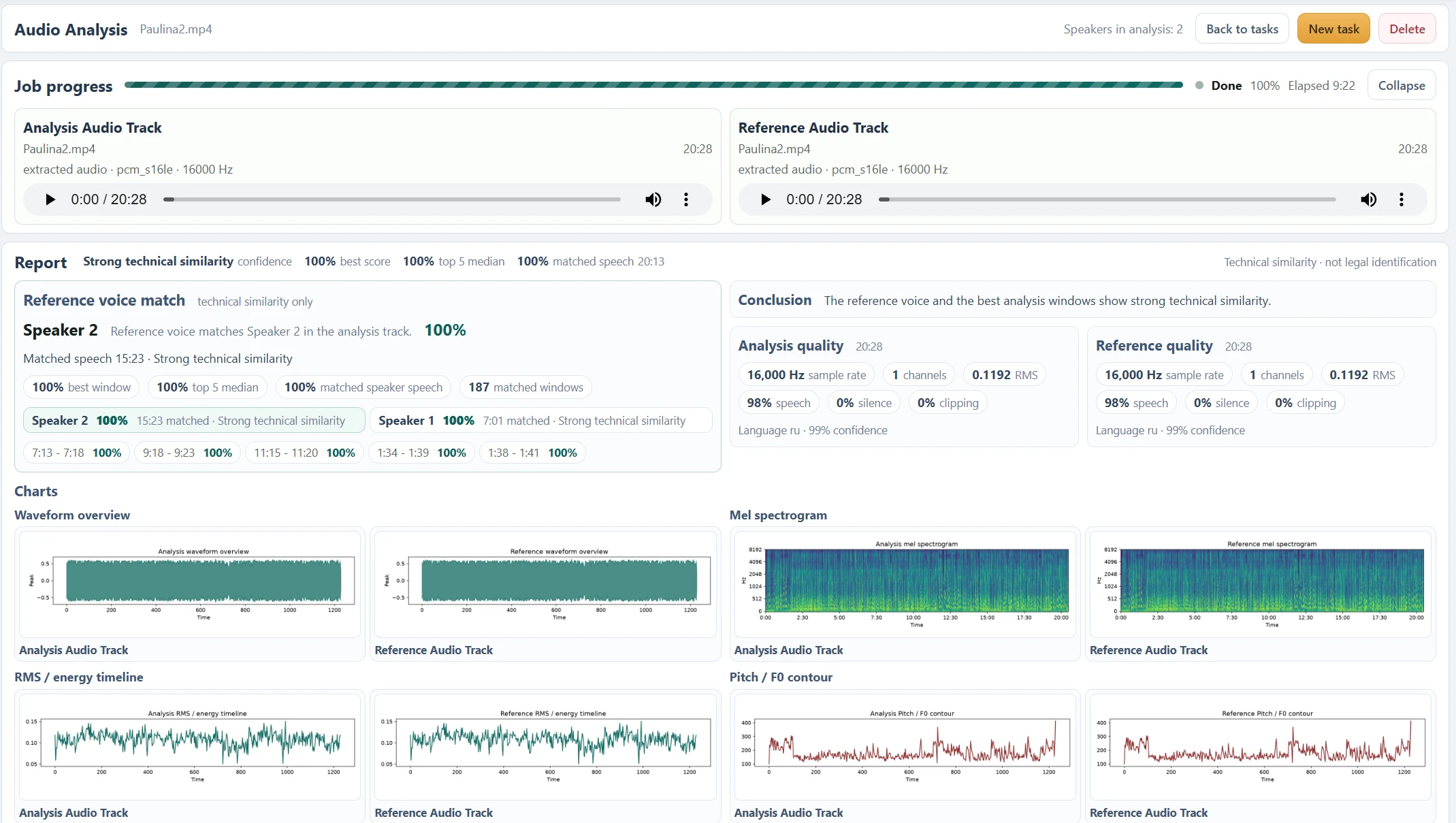
After processing, check the language code and confidence in the relevant source quality card. The analysis and reference are transcribed separately and can have different detected languages. The confidence describes a language estimate, not the accuracy of every word.
| Language | Code | Standard interface |
|---|---|---|
| English | en | Automatic detection |
| Ukrainian | uk | Automatic detection |
| Russian | ru | Automatic detection |
Test switching languages and difficult audio.
A dominant-language estimate can hide code switching within a recording. Short utterances, closely related languages, foreign names and borrowed words can confuse detection or spelling. Overlap, music and silence can also lead to incorrect or invented text.
Try a short representative excerpt containing the actual speakers and recording conditions. Compare the recognized words with playback. If important sections remain wrong, use a clearer source rather than assuming the confidence figure validates the text.
Transcription preserves speech; translation is separate.
The current task transcribes speech in its detected language. It does not offer a translation selector or promise an English version of a Ukrainian or Russian recording. Speaker diarization groups voices, and voice comparison measures acoustic resemblance; neither replaces transcription language support.
Both analysis and reference files are still required by the current workflow, including when testing a language. Prepare a clean reference, select Auto or a known speaker count and review the completed report before starting a longer job.
Questions about this workflow
Do I need a reference file just to transcribe?
Yes, in the current workflow. Select an analysis source and a reference source before starting. There is no separate one-file transcription mode yet. For a meaningful voice comparison, use a clean sample of the voice you want to compare.
Can I close the tab?
Keep the tab open until both uploads and submission finish. Processing then continues in the background; return to your Audio task list for progress and the report.
Continue with the next useful step
Find and Listen to Audio Speaker Segments
Use speaker labels, dialogue turns, matched windows and timestamps to locate and listen to passages in an Audio Analysis report.
How to Read an Audio Analysis Report
Understand source players, quality indicators, transcripts, speaker groups, voice similarity and signal charts in the current Audio Analysis report.