
Microphone Gain: Boost Your Voice Without Clipping
Use the input meter, −12 to +24 dB boost and original/processed playback to prepare a clean voice recording.
Updated · Cyber Search MatchInput boost changes the level recorded in the processed version. Player volume only changes listening loudness. Start at 0 dB and check the loudest phrases before recording a full sample.
Know which level you are changing.
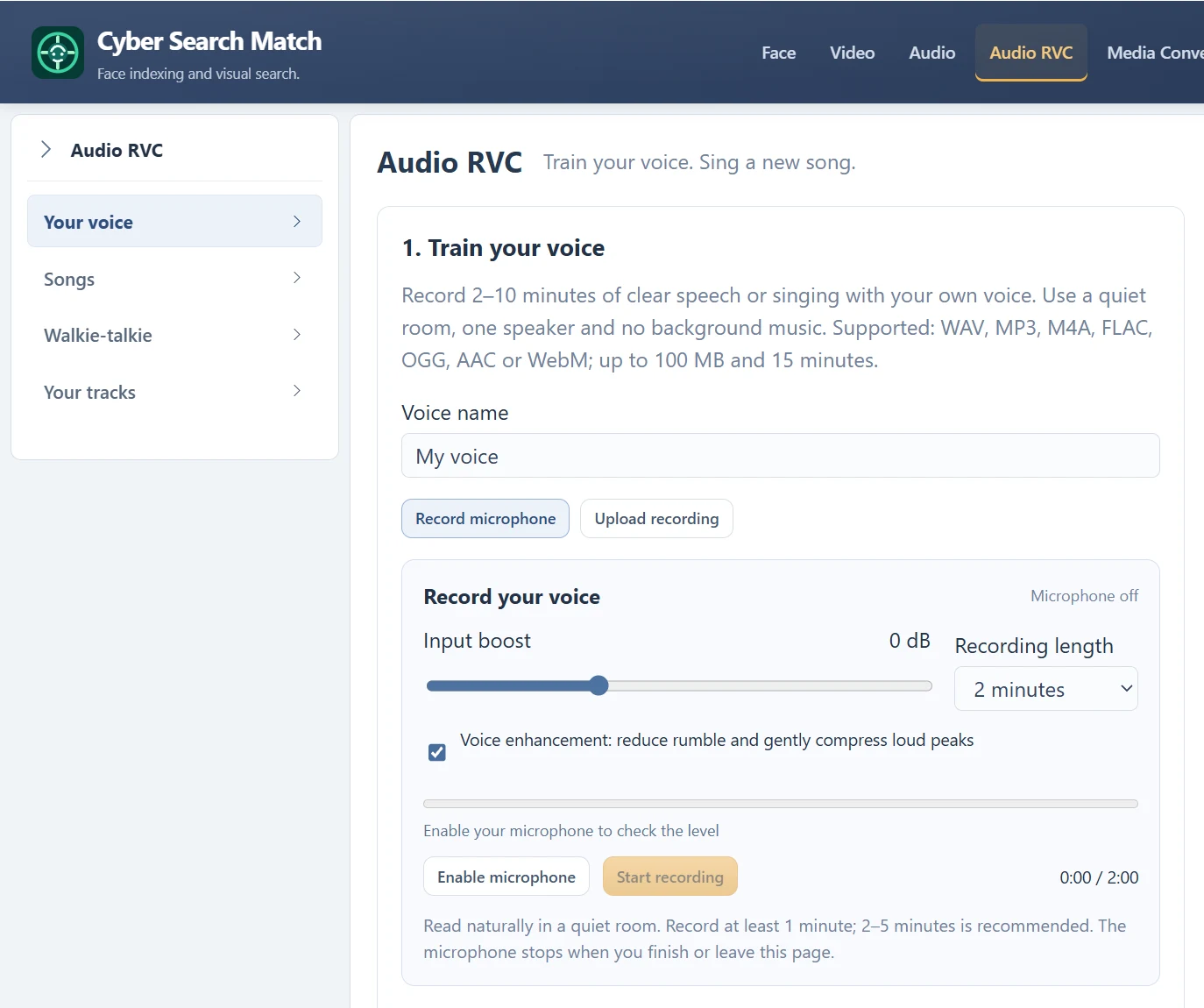
Input boost applies gain to the microphone signal before the processed recording is saved. In the current recorder it ranges from −12 to +24 dB in 1 dB steps. The Original version is retained separately so you can compare it with Boosted / enhanced.
A playback volume slider changes what comes out of your speakers or headphones; it does not change the recorded WAV. Adjust device input level and microphone position when the signal is already distorted before browser processing.
| Control or reading | What it tells you |
|---|---|
| Input boost | Changes the processed recording level. |
| Input meter | Live signal level before the enhancement filters. |
| Peak dBFS | Highest level measured in the selected prepared version. |
| Average dBFS | Average signal level measured for that version. |
| Player volume | Listening level only; the file stays the same. |
Make a level check at normal speaking volume.
Enable the microphone, speak at a consistent distance and include your loudest normal phrase. If the meter says Too loud — lower boost, reduce the boost or device input level and try again. If it says Speak closer to the microphone, improve placement before adding a large boost.
The meter is guidance, not a certification of recording quality. Listen for crackle, flattened peaks, room noise and breath blasts. Lowering the volume after clipping makes distorted audio quieter but does not restore the missing waveform.
Compare enhancement instead of assuming it helps.
Voice enhancement reduces rumble and gently compresses loud peaks. It does not remove every noise or recover a clipped source. Record a representative sample and compare Original with Boosted / enhanced before selecting the training file.
If processing makes breaths or background noise more obvious, choose the cleaner version or record again in better conditions. Aim for intelligible, natural audio with room for louder moments rather than the highest possible meter reading.
Questions about this workflow
Should I always set +24 dB?
No. Large boosts can amplify noise or clip the processed recording. Use the smallest adjustment that produces clear sound and listen to the result.
Continue with the next useful step
How to Record a Useful Voice Model Sample
Prepare a clean own-voice recording: duration, room, microphone distance, speech and singing before training.
Song Conversion Levels: Recording, Playback and Mix
Distinguish microphone gain, player volume and the fixed vocal/instrumental mix used for song conversion.
Voice Tools Permissions: Microphone, Samples and Songs
Understand microphone access, the own-voice training confirmation, song permissions and account-only outputs.