
Review a Street Video: Vehicles, People and Useful Frames
Set a road area, select analysis modes and sampling, then inspect tracks, timestamps and plate crops against the source.
Updated · Cyber Search MatchDefine the event you need, choose an area and frame interval that can capture it, then review grouped observations and their original frames. A track is a model grouping, and a plate reading still needs a visual check.
Step 1 — define the event and preserve the source.
Write down the practical question: when a vehicle crosses a visible road section, where a person appears, or whether a plate is readable. Keep the original local recording and its known start-time context. File-relative timestamps are not automatically a verified wall-clock time.
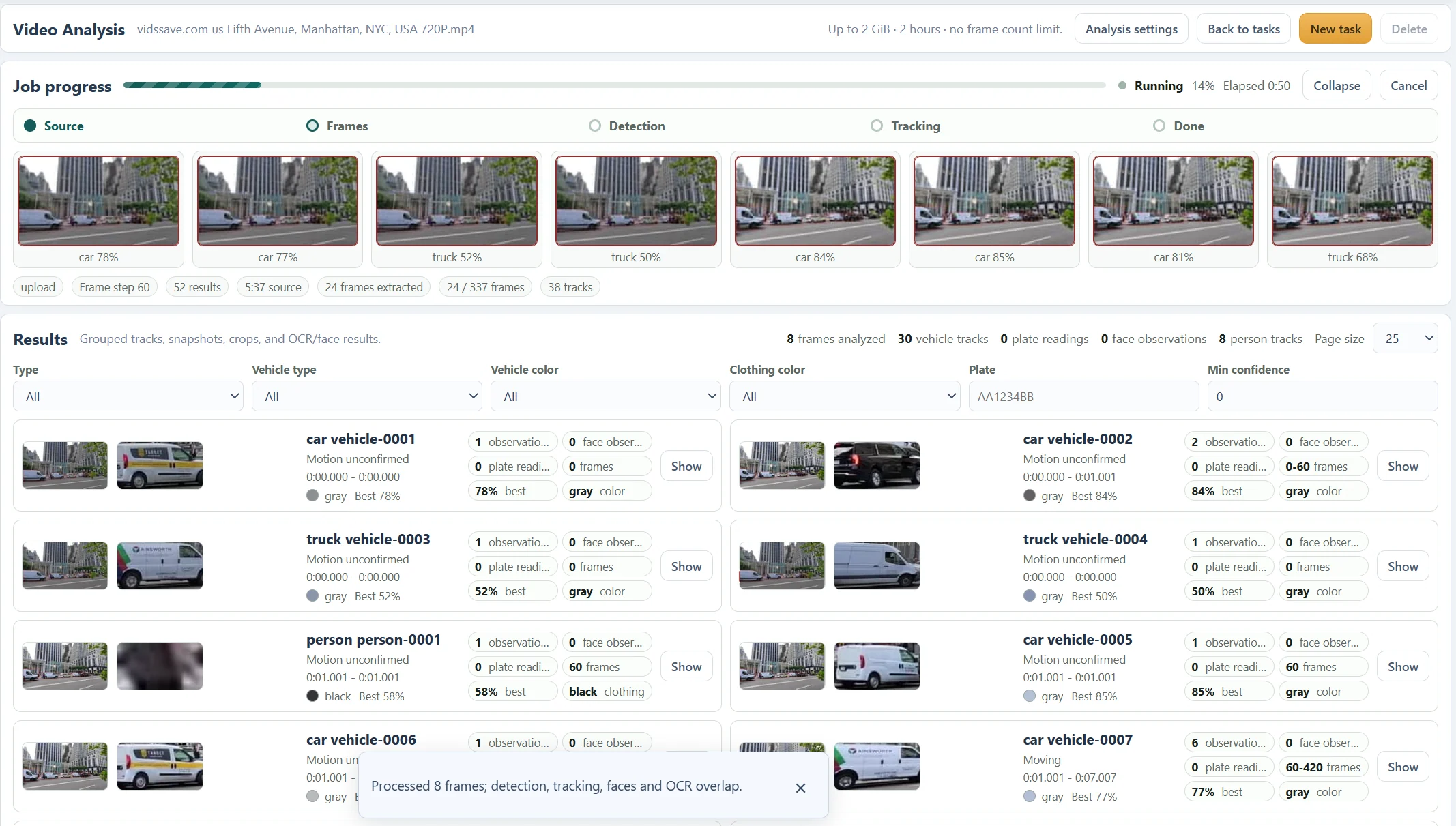
Check duration, camera movement, lighting and visibility. The supplied street screenshots illustrate the controls and observations, not a benchmark of detection accuracy or evidence about an incident.
Step 2 — choose an area that contains the event.
Use an entire frame, rectangle or polygon. For a road section, include the approach and departure you need to inspect. Scrub several preview moments before submitting: the saved boundary stays fixed in image coordinates throughout the recording.
A fixed polygon is less useful if the camera pans and the road moves outside it. In that case, choose an area covering the necessary movement or use the whole frame. An excluded part of the scene will not be rescued by a lower detection threshold.
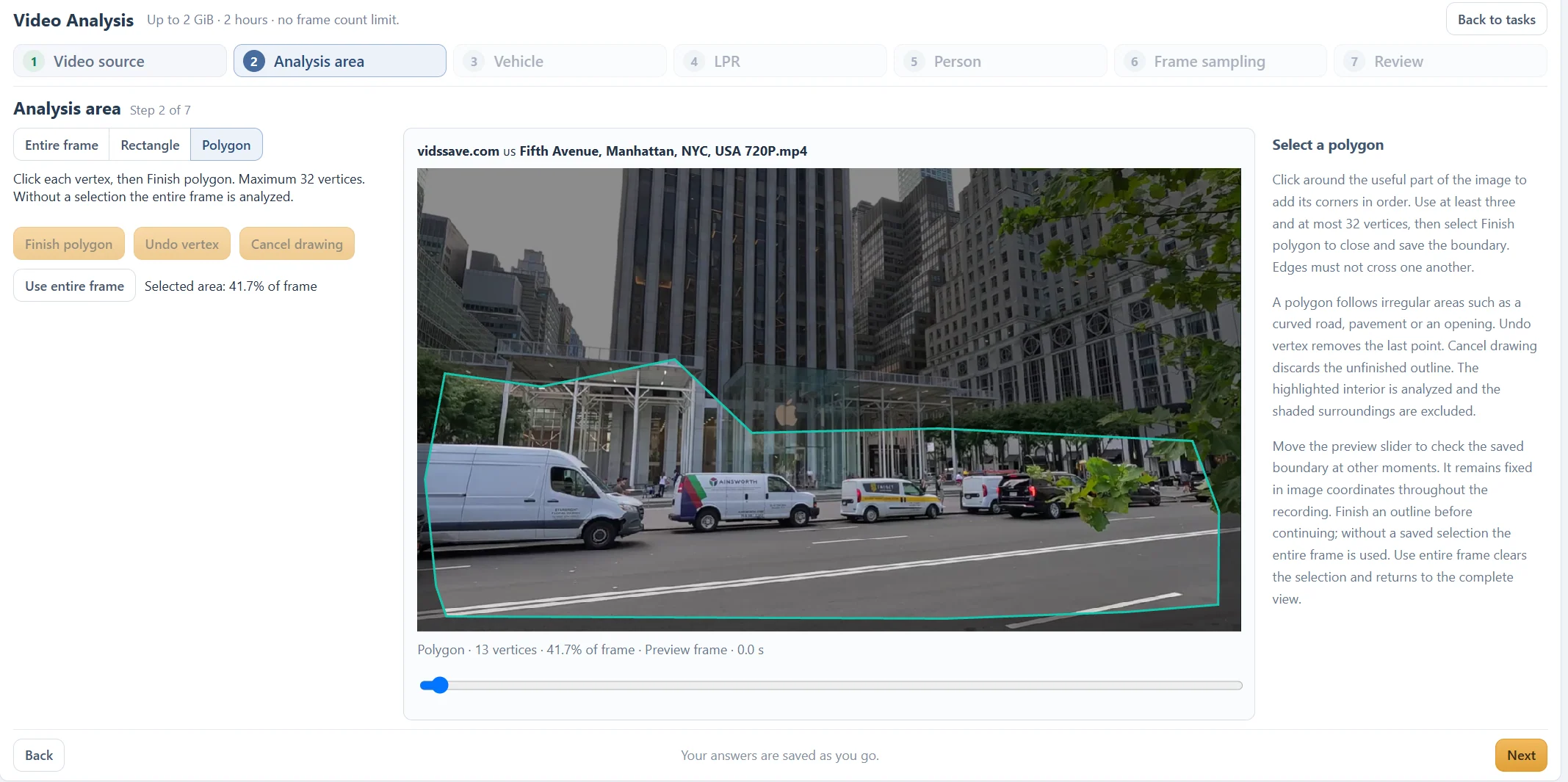
Step 3 — match modes and sampling to the question.
Enable Vehicle, Person and LPR only as needed. Vehicle-only plate reading requires vehicle analysis too. Type and colour filters narrow the task; start broadly when a specific filter might exclude a useful observation.
Frame sampling is measured in source frames. At a constant 30 fps, every 60th frame is about two seconds apart, which can miss a short crossing. A smaller interval adds work and observations. Adaptive sampling is intended for a static camera and cannot guarantee that every brief event is captured.
Step 4 — inspect the group and its source evidence.
Filter the result list, expand a track and compare its observations, timestamp range, full frames and crops. A single observation does not prove a trajectory. An occlusion or camera move can split one object into more than one track or produce an incorrect association.
For a plate, compare the OCR text with the actual crop and nearby observations. Formatting normalization cannot reconstruct an unreadable character. Review useful timestamps in the original source and record uncertainty before relying on a finding.
Before you finish
- The selected area covers the event throughout the recording.
- The sampling interval is appropriate for how quickly it happens.
- Tracks and OCR were checked against original frames.
Questions about this workflow
Does a missing track prove the vehicle was absent?
No. Sampling, visibility, the selected area and model errors can hide an event. Review the original recording for important conclusions.