
Choose a Video Frame Sampling Interval
Balance coverage and processing with source-frame intervals and optional adaptive sampling. See why short events need closer sampling.
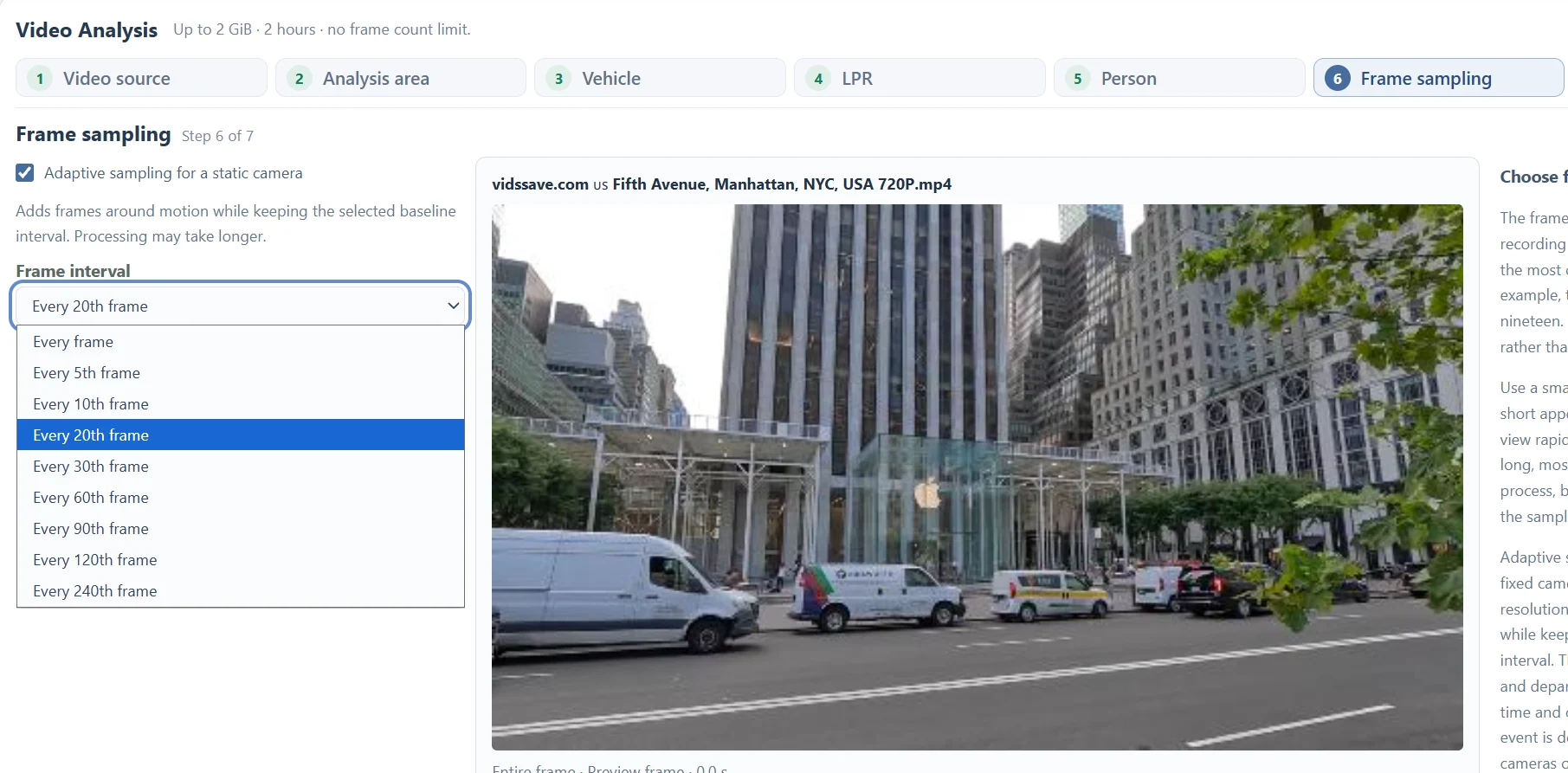
Updated · Cyber Search MatchFrame sampling chooses which source frames are analyzed. Every 60th frame is about one sample every two seconds in a 30 fps recording. A brief event can fall between samples; choose the interval according to the shortest appearance you need to inspect.
Translate frames into approximate time.
The current interval choices are every frame, or every 5th, 10th, 20th, 30th, 60th, 90th, 120th or 240th frame. The interval is a frame count, not a number of seconds. The same setting means different time spacing at different source frame rates.
Divide the frame interval by source fps for a rough time spacing. At 30 fps, every 60th frame is approximately two seconds; at 60 fps, it is approximately one second. Variable-frame-rate recordings require extra caution because the report uses frame-derived time estimates.
Choose several observations during the shortest useful event. A vehicle visible for less than two seconds may be missed or appear only once with a two-second baseline.
| Interval at 30 fps | Approximate spacing | Practical implication |
|---|---|---|
| Every 5th frame | 0.17 seconds | More views of short appearances; more processing. |
| Every 30th frame | 1 second | A moderate baseline for slower activity. |
| Every 60th frame | 2 seconds | Brief passages can fall between samples. |
| Every 240th frame | 8 seconds | Coarse review; many short events can be missed. |
Use adaptive sampling with a static camera.
Adaptive sampling adds frames around motion while keeping the selected baseline interval. It can capture arrivals and departures more densely in footage from a static camera. Extra frames can increase processing time.
Camera pans, shaking and moving backgrounds can produce motion across much of the image. For handheld footage or edited interviews, choose a suitable baseline rather than relying on a motion-based setting to recover every event.
Adaptive sampling does not guarantee that every object is detected. Visibility, confidence settings and the selected area still matter.
Compare a short range before processing the whole file.
Start with a range containing the event you know is present. Inspect the number of observations per track, the gaps in time and the quality of representative crops. If the object appears only once, reduce the interval and compare.
A denser sample does not repair blur or make a distant plate readable. It supplies more opportunities to find a better moment. Lowering the minimum confidence filter in a completed report only changes the displayed results, not the frames that were processed.
Keep your original recording and document the interval used when sharing conclusions from a task. The observations support the sampled moments; they do not establish what happened between every pair of frames.
Questions about this workflow
Does every frame guarantee complete detection?
No. It increases frame coverage, but detection still depends on visibility, source quality and model behavior.
Does changing the results filter change sampling?
No. To analyze a different interval, submit a new task with the desired sampling settings.
Continue with the next useful step
Video Tracks vs Observations: Read the Results
Understand track groups, individual detections, plate readings and face observations without treating track totals as unique people or vehicle counts.
Understand Video Analysis Timestamps and Frame Numbers
Read source times, frame indices and track ranges. Learn how trimming, sampling and variable frame rates affect the times shown in a video report.